
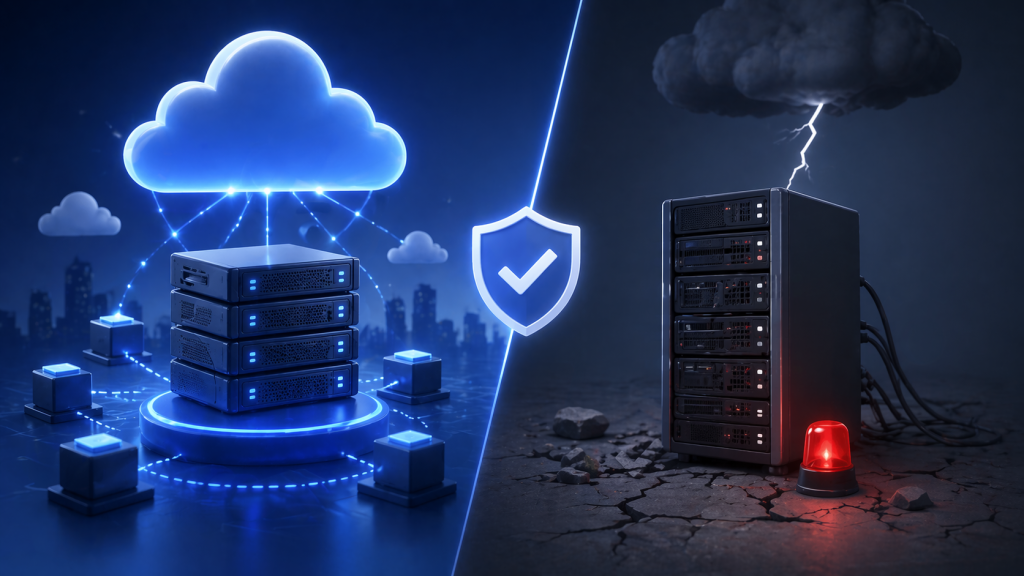
Modern businesses depend on technology more than ever before. Websites generate leads, ecommerce platforms process customer orders, cloud applications support employees, and databases store valuable business information. When these systems become unavailable, even for a short period, the impact can be immediate—lost revenue, reduced productivity, interrupted customer service, and damage to your company’s reputation.
Unfortunately, downtime can happen for many reasons. Hardware failures, cyberattacks, ransomware, software corruption, accidental deletion, power outages, natural disasters, and human error can all interrupt business operations. While no organization can completely eliminate these risks, every business can prepare for them.
This is where Disaster Recovery Hosting becomes essential.
Disaster recovery hosting provides businesses with secure backup infrastructure, rapid recovery capabilities, and business continuity strategies that minimize downtime and protect critical data. Instead of reacting to unexpected events, organizations can recover quickly and continue serving customers with minimal disruption.
HostingSource delivers enterprise-grade disaster recovery hosting solutions designed to help businesses protect their infrastructure, reduce operational risk, and maintain business continuity when unexpected events occur.
What Is Disaster Recovery Hosting?
Disaster recovery hosting is a hosting solution designed to restore business systems, applications, websites, and data after an unexpected disruption.
Unlike traditional backups that simply copy files, disaster recovery hosting combines backup infrastructure, recovery planning, redundant systems, and failover capabilities to ensure business operations can resume as quickly as possible.
A complete disaster recovery solution typically includes:
- Automated backups
- Off-site data storage
- Cloud replication
- Redundant infrastructure
- Failover environments
- Recovery planning
- Recovery testing
- Continuous monitoring
- Business continuity planning
- Technical support
The objective is to minimize downtime while protecting critical business information.
Why Every Business Needs Disaster Recovery
Many organizations assume disasters only affect large enterprises or businesses located in areas prone to natural disasters.
In reality, everyday incidents are far more common.
Examples include:
- Hard drive failures
- Server crashes
- Accidental file deletion
- Software corruption
- Database failures
- Cybersecurity incidents
- Ransomware attacks
- Power outages
- Network failures
- Human error
Without proper disaster recovery planning, these events can interrupt operations for hours—or even days.
Having a recovery strategy ensures your business can recover quickly while reducing financial and operational losses.
The Difference Between Backup and Disaster Recovery
Many businesses believe backups alone provide disaster recovery.
While backups are essential, they represent only one part of a complete recovery strategy.
Data Backup
A backup creates copies of important files, databases, and applications.
Its primary purpose is data protection.
Disaster Recovery
Disaster recovery focuses on restoring entire business operations as quickly as possible.
It includes:
- Backup restoration
- Infrastructure recovery
- Server replacement
- Application recovery
- Network restoration
- Recovery procedures
- Business continuity planning
Effective disaster recovery combines technology, planning, and testing.
Common Causes of Business Downtime
Understanding potential risks helps businesses develop stronger recovery strategies.
Hardware Failure
Servers, storage devices, and networking equipment can fail unexpectedly.
Cybersecurity Attacks
Ransomware and malware can encrypt or destroy business data.
Human Error
Accidental deletion or incorrect system configuration remains one of the most common causes of downtime.
Software Failures
Application bugs, failed updates, or operating system corruption can interrupt services.
Natural Disasters
Floods, fires, storms, and earthquakes may affect local infrastructure.
Power Outages
Unexpected electrical failures can interrupt business operations if redundant systems are unavailable.
Key Components of Disaster Recovery Hosting
Automated Backups
Regular backups protect business data by creating secure copies stored independently from production systems.
Automated scheduling reduces the risk of missed backups while simplifying administration.
Off-Site Data Storage
Storing backups in a separate geographic location protects information from localized disasters affecting primary infrastructure.
Cloud-based backup environments provide additional resilience.
Failover Infrastructure
Failover systems automatically redirect workloads to secondary infrastructure when primary servers become unavailable.
This helps minimize downtime while maintaining service availability.
Recovery Planning
Technology alone cannot guarantee successful recovery.
Businesses should document recovery procedures including:
- System priorities
- Recovery responsibilities
- Communication plans
- Recovery timelines
- Testing schedules
Planning allows teams to respond efficiently during emergencies.
Continuous Monitoring
Monitoring helps identify infrastructure problems before they become major outages.
HostingSource monitors:
- Server health
- Storage systems
- Network connectivity
- Resource utilization
- Backup status
Proactive monitoring improves overall resilience.
Understanding RPO and RTO
Two important concepts influence disaster recovery planning.
Recovery Point Objective (RPO)
RPO measures the maximum amount of acceptable data loss.
For example, hourly backups create a one-hour recovery point objective.
Lower RPO values reduce potential data loss.
Recovery Time Objective (RTO)
RTO measures how quickly systems should be restored after an outage.
Businesses with customer-facing applications often require very short recovery times.
Understanding both RPO and RTO helps organizations choose appropriate disaster recovery solutions.
Disaster Recovery for Different Business Types
Ecommerce Businesses
Online retailers require rapid recovery to prevent lost sales and customer frustration.
Healthcare Organizations
Patient information and healthcare systems must remain available while protecting sensitive data.
Financial Institutions
Banks and payment providers require reliable recovery capabilities to protect transaction records.
SaaS Companies
Cloud software providers depend on continuous application availability.
Manufacturing Businesses
Production systems and inventory management platforms require reliable recovery to maintain operations.
Professional Service Firms
Accounting, legal, engineering, and consulting firms rely on secure access to client information.
Cloud-Based Disaster Recovery
Cloud technology has transformed disaster recovery planning.
Cloud-based recovery solutions offer:
- Geographic redundancy
- Flexible scalability
- Faster deployment
- Lower infrastructure costs
- Automated replication
- Secure backup storage
Businesses can restore systems more quickly while reducing dependence on local hardware.
HostingSource helps organizations implement cloud-based disaster recovery strategies tailored to business requirements.
Benefits of Disaster Recovery Hosting
Organizations implementing disaster recovery hosting benefit from:
- Reduced downtime
- Improved business continuity
- Better customer confidence
- Protection against data loss
- Faster recovery times
- Greater operational resilience
- Regulatory compliance support
- Reduced financial risk
- Improved infrastructure reliability
Disaster recovery planning becomes an investment in long-term business stability rather than simply an IT requirement.
Why Businesses Choose HostingSource
HostingSource delivers enterprise-grade disaster recovery hosting designed to protect critical business infrastructure.
Businesses benefit from:
- Disaster Recovery Hosting
- Automated Backup Solutions
- Cloud Replication
- Business Continuity Planning
- High Availability Infrastructure
- Failover Hosting
- Security Monitoring
- Managed Cloud Services
- Backup Verification
- Enterprise Storage
- High-Speed Network Connectivity
- Expert Technical Support
Whether you’re protecting websites, enterprise applications, databases, or cloud environments, HostingSource provides disaster recovery solutions built to minimize downtime and protect business operations.
Best Practices for Disaster Recovery
Businesses should perform regular backup verification to ensure recovery data remains usable.
Recovery procedures should be tested periodically rather than waiting for emergencies.
Infrastructure documentation should remain current.
Recovery priorities should be reviewed whenever major applications are introduced.
Employee training also plays an important role in successful recovery planning.
Organizations that regularly test disaster recovery procedures typically recover faster than those relying solely on documentation.
Conclusion
Unexpected disruptions can affect any business regardless of size or industry. Hardware failures, cyberattacks, software problems, and natural disasters all have the potential to interrupt operations and create significant financial losses.
Disaster recovery hosting provides businesses with the infrastructure, planning, and recovery capabilities needed to respond quickly while protecting valuable data and maintaining customer confidence.
Rather than hoping unexpected events never occur, successful organizations prepare for them through proactive disaster recovery strategies.
HostingSource combines enterprise-grade hosting infrastructure, secure backup solutions, cloud replication, proactive monitoring, and expert technical support to help businesses minimize downtime and recover confidently when challenges arise. With the right disaster recovery strategy in place, your business can continue operating even when the unexpected happens.
Frequently Asked Questions
What is Disaster Recovery Hosting?
Disaster Recovery Hosting is a hosting solution that combines backups, redundant infrastructure, failover systems, and recovery planning to restore business operations quickly after unexpected disruptions.
Why is Disaster Recovery important?
Disaster recovery helps businesses minimize downtime, protect important data, maintain customer trust, and reduce financial losses caused by hardware failures, cyberattacks, or natural disasters.
What is the difference between backups and disaster recovery?
Backups protect data by creating copies of files, while disaster recovery focuses on restoring complete business operations, including servers, applications, networks, and infrastructure.
How often should disaster recovery plans be tested?
Businesses should test disaster recovery procedures regularly, typically several times each year, to ensure systems and recovery processes function as expected.
Does HostingSource provide Disaster Recovery Hosting?
Yes. HostingSource offers disaster recovery hosting with automated backups, cloud replication, high availability infrastructure, failover solutions, business continuity planning, security monitoring, and expert technical support.